


Encrypted Storage
Published date: 12 May 2026
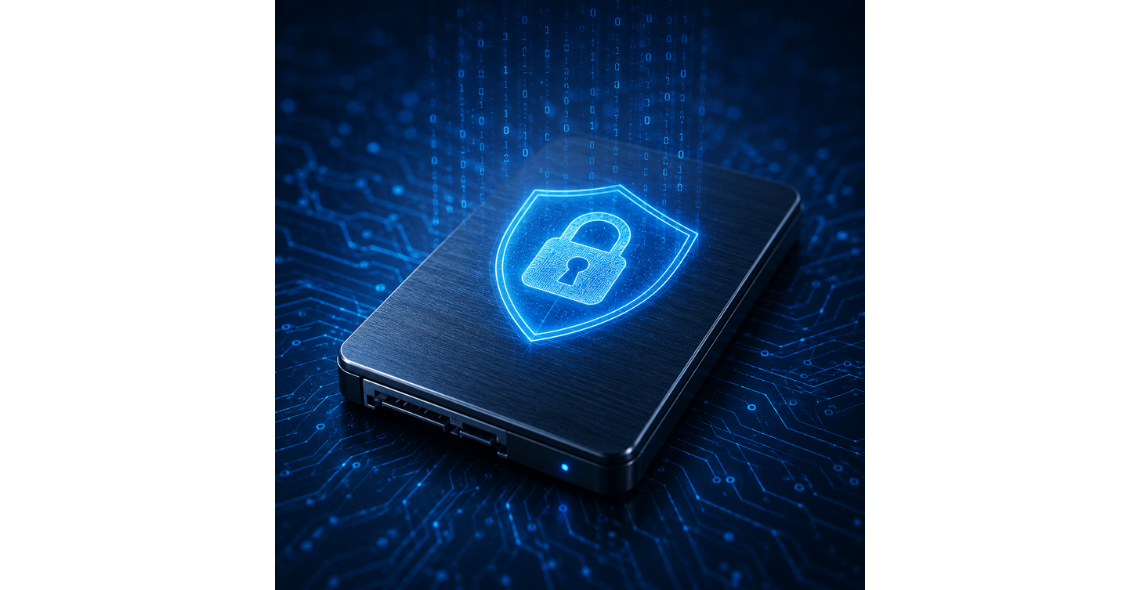
Encrypted storage is the practice of protecting data at rest by converting it into an unreadable form unless a person or system can prove they are authorised to access it. It is widely used across organisations in the UK because storage media moves, changes hands, gets repurposed and sometimes gets lost. Laptops are left on trains, portable drives are misplaced, old servers are sold on, and cloud accounts can be misconfigured. In each of these situations, the underlying risk is the same: someone gains physical or logical access to a storage device and reads the information.
Encryption changes that risk profile. Instead of relying only on perimeter defences such as locked rooms, user accounts, or network controls, it builds confidentiality into the data itself. Even if an attacker steals a drive or copies a database file, the content remains protected without the correct cryptographic key.
This matters because most organisations hold information that is valuable, regulated, or both: customer records, HR documents, contracts, intellectual property, payment data, operational data from manufacturing systems, and sensitive emails. As data volumes grow and storage becomes more distributed across endpoints, data centres and cloud services, the likelihood of exposure increases. Encrypted storage is therefore not a niche security feature. It is a practical control that supports compliance, reduces the impact of incidents, and helps organisations operate confidently while data is stored and moved through its lifecycle.
Encrypted storage explained: concepts, types and how it works
At its core, encryption uses a mathematical algorithm and a secret value called a key to transform readable data (plaintext) into unreadable data (ciphertext). Decryption reverses the process when the correct key is presented. Modern storage encryption typically uses symmetric encryption, meaning the same key is used to encrypt and decrypt, because it is efficient at scale. The strength of encrypted storage rests less on secrecy of the algorithm, which is usually well known and scrutinised, and more on how well keys are generated, stored and controlled.
It helps to distinguish encryption at rest from encryption in transit. Encrypted storage focuses on protecting data while it sits on a disk, SSD, tape, or in a cloud object store. Encryption in transit protects data as it moves across networks. Both are important, but encrypted storage specifically reduces the risk associated with lost devices, unauthorised access to raw storage, and offline attacks where an attacker can take their time.
There are several common approaches:
Full-disk encryption (FDE) encrypts an entire drive, including the operating system, applications and free space. After a user or device unlocks the drive at boot, the system reads and writes data normally. FDE is a strong control for laptops and removable drives because it protects everything by default.
File or folder encryption applies encryption to specific files or directories. It can be useful where only certain datasets are sensitive, or where different users need different access rights. However, it introduces the operational challenge of ensuring the right files are covered and that decrypted copies are not left behind.
Hardware-based encryption is performed by a dedicated security component on the device, such as a self-encrypting drive. Encryption and decryption happen on the drive controller, and the drive only releases data after authentication. Software-based encryption relies on the operating system or an application to perform cryptographic operations. Both can be secure when implemented correctly, but they differ in manageability, performance characteristics and how recovery works.
In enterprise environments, encryption often extends to storage arrays, backups and archives. Backup encryption is especially important because backups are frequently copied, stored offsite, and retained for long periods, making them an attractive target.
Why organisations use encrypted storage: threats, compliance and business drivers
Organisations adopt encrypted storage because it reduces the consequences of common failures. Physical loss and theft are obvious examples. A stolen laptop can expose years of emails and documents if the drive is unencrypted. A misplaced USB drive can leak customer lists, pricing models or engineering files. Encryption makes these incidents far less likely to become reportable breaches, provided the keys were not compromised.
A second driver is protection against unauthorised internal access. Not every risk comes from outsiders. People sometimes have more access than they need, accounts may be shared, or a contractor may retain access longer than intended. Encrypted storage, combined with strong key and access management, supports least privilege by ensuring that possession of the device or a copied database file is not enough.
Ransomware and extortion are also major concerns. Encryption does not stop ransomware from encrypting live data that a compromised account can access, but it can reduce the fallout from data theft. Many attacks now combine encryption with exfiltration, where attackers steal data and threaten to publish it. If data stored on endpoints, backups or certain repositories is encrypted in a way that prevents attackers from using stolen files, the value of exfiltrated data can be reduced. The practical impact depends on how keys are protected and whether attackers can access the systems that decrypt data for normal operations.
Compliance is a strong and sometimes decisive factor. Organisations handling personal data must meet legal and regulatory expectations around confidentiality and security. Encryption is frequently cited as an appropriate technical measure, particularly for portable media, backups, and systems that store sensitive data. It also supports contractual obligations, such as security requirements from customers and supply chain partners.
Beyond risk and compliance, there are business drivers. Encryption can enable more flexible working by making it safer to store data on laptops and mobile devices. It supports secure decommissioning and reuse of devices because encrypted drives can sometimes be sanitised faster through cryptographic erase, depending on the technology. It can also improve incident response outcomes. When an organisation can demonstrate that lost data was strongly encrypted and keys were protected, it can reduce reputational damage and simplify communications with stakeholders.
Finally, there is a governance benefit. Implementing encrypted storage forces clarity about who owns data, where it lives, how long it is retained, and what “authorised access” actually means. Those questions are valuable even before encryption is applied.
Implementation and management: keys, access control, lifecycle and operational considerations
Encrypted storage is only as strong as its key management. The most common failure is not weak encryption, but poor control of keys and unlocking mechanisms. Keys should be generated securely, stored in a protected service or hardware module, and rotated or replaced when there is reason to believe they may be exposed. Access to keys should be limited, logged and reviewed. If everyone can retrieve keys, encryption becomes a checkbox rather than a meaningful control.
A practical approach is to separate encryption keys from the encrypted data. If an attacker steals a drive, they should not also obtain the key. On endpoints, this often means integrating with platform security features that protect keys in hardware, combined with user authentication. In server and storage environments, centralised key management allows consistent policy enforcement and auditability.
Access control and authentication decisions matter as much as cryptography. Multi-factor authentication helps prevent account takeover that would otherwise provide “legitimate” decryption access. Privileged access management can reduce the risk of administrators or service accounts being abused. Role-based access ensures users only decrypt what they need. Logging is essential, not only for security monitoring but also for proving compliance. You want to know when sensitive volumes were mounted, when encrypted backups were accessed, and which accounts performed those actions.
Lifecycle management should be designed in from the start. Consider provisioning, backups, recovery, decommissioning and disposal.
Backups need careful thought because they multiply data copies. Ensure backup encryption is enabled, keys are managed independently where appropriate, and recovery processes are tested. An encrypted backup that cannot be restored because the key was lost is a business outage waiting to happen. Similarly, plan for staff turnover. If an employee leaves and their device is encrypted with a key only they control, you may lose access.
Performance and usability are usually manageable with modern systems, but there are still trade-offs. Full-disk encryption can affect boot processes and remote support workflows. File-level encryption can create user friction and may lead to workarounds like storing files in unencrypted locations. Clear policies and user training reduce these risks.
Finally, treat encrypted storage as part of a broader security design. Patch management, endpoint protection, secure configuration, network segmentation and monitoring all remain necessary. Encryption reduces the blast radius when something goes wrong, but it does not prevent compromise on its own.
FAQs
Is encrypted storage the same as password-protecting a file or drive?
Password protection can be part of encrypted storage, but the two are not identical. Encryption is the mathematical process that transforms data into ciphertext using a key. A password is often used to unlock or derive that key, but some systems use hardware-protected keys, certificates, or device-based authentication instead. The strength of protection depends on how the encryption key is created and stored, and whether the unlocking method can be bypassed. For example, a simple document password may use weak encryption or be vulnerable to guessing if the password is short. By contrast, full-disk encryption that stores keys in hardware and requires strong authentication can be much harder to defeat. In practice, you should ask what encryption algorithm is used, how keys are managed, what happens after a device is unlocked, and whether recovery and audit controls exist.
Does encrypted storage protect data if a device is infected with malware or ransomware?
Encrypted storage mainly protects data at rest, especially when the device is powered off or the storage is accessed outside normal controls. If a device is infected and the attacker gains access to the system while it is running and the drive is unlocked, the malware may be able to read and encrypt files just like a legitimate user would. That means encryption is not a standalone defence against ransomware. However, it can still help in several ways. It reduces the value of stolen raw storage files, such as copied database files or exfiltrated disk images, if attackers cannot access keys. It can also protect data on lost or stolen devices and reduce exposure from improperly disposed drives. The best protection combines encryption with strong access controls, patching, endpoint security, segmentation and resilient, well-tested backups.
What is the difference between full-disk encryption and file-level encryption, and which should we choose?
Full-disk encryption covers the entire drive automatically, including temporary files and free space, which helps prevent accidental gaps in coverage. It is particularly suitable for laptops, desktops and portable drives because it requires minimal user decision-making. File-level encryption targets specific files or folders, which can be useful when only some data is sensitive or when different teams need different encryption boundaries. The trade-off is complexity: users or applications must consistently apply it, and decrypted copies can appear in caches or exports if processes are not controlled. Many organisations use both. Full-disk encryption provides a baseline for endpoints and removable media, while file-level or application-level encryption protects especially sensitive datasets, such as certain HR files or confidential project documents, even after they are copied to other storage locations. The right choice depends on risk, data classification, and how data is shared.
How do we avoid losing access to data if encryption keys are lost or staff leave?
Key loss is a real operational risk, so recovery planning is essential. Start by using managed encryption where keys are centrally controlled rather than tied to a single individual. For endpoints, use enterprise management features that escrow recovery keys to a secure directory or key management service, with strict access controls and auditing. For servers and storage platforms, implement a documented key management process that includes backup of key material, separation of duties, and controlled recovery procedures. Avoid informal practices like storing keys in spreadsheets or shared mailboxes. Staff leavers should trigger an access review to ensure their accounts cannot retrieve keys and that any devices they used remain recoverable by the organisation. Most importantly, test recovery. Run periodic drills to confirm you can restore an encrypted backup and unlock encrypted systems under realistic conditions, including scenarios where primary administrators are unavailable.
Does encryption affect storage performance and day-to-day usability?
In many modern environments, the performance impact of encryption is modest, but it is not always zero. Hardware-accelerated encryption in CPUs and dedicated encryption on certain drives can make full-disk encryption largely transparent for typical office and server workloads. The bigger usability impacts tend to involve boot and authentication flows, remote support, and automated processes that access encrypted volumes. For example, unattended reboots may require a method for authorised systems to unlock encrypted disks securely. File-level encryption can introduce friction if users must make choices about which files to encrypt, or if sharing encrypted files requires additional steps. The best way to manage this is to pilot encryption with representative workloads, document operational procedures, and align encryption methods with how teams actually use data. Encryption should be implemented so that secure behaviour is the easiest behaviour.
Should we encrypt everything, including backups and archived data?
Encrypting everything is an appealing principle, but it should be guided by risk and operational realities. Backups are often a high priority because they contain concentrated copies of valuable data, are retained for long periods, and may be stored on removable media or moved between systems. Encrypting backups also helps if a backup device is lost or accessed by an unauthorised person. Archives and long-term retention stores should also be considered, especially if they contain personal or commercially sensitive information. The key is ensuring you can still meet retention, discovery and recovery requirements. Encryption must not make data unrecoverable when it is needed for business continuity, legal obligations, or audits. A sensible approach is to classify data, define encryption requirements by category, and implement consistent key management and recovery processes. Regularly review what is stored and whether it still needs to be retained.
Conclusion
Encrypted storage protects data at rest by making it unreadable without authorised access to cryptographic keys. It addresses practical realities that affect organisations: devices are lost, drives are replaced, backups are copied, and attackers look for the easiest path to valuable information. By encrypting storage, organisations reduce the impact of physical theft, improper disposal, misconfigured systems and certain forms of data exfiltration. It also supports compliance expectations for protecting personal and sensitive data and can improve confidence when enabling flexible working and wider data sharing across teams.
The most important lesson is that encryption is not just a switch you turn on. Its effectiveness depends on key management, access controls, authentication strength, logging, and well-tested recovery processes. Decisions such as full-disk versus file-level encryption, hardware versus software approaches, and how to protect backups should be driven by data classification and operational needs. When implemented thoughtfully, encrypted storage becomes a foundational control that complements broader security measures rather than replacing them.


Comments
There are currently no comments, be the first to comment.